
Google Business Profile Reports 2026: Local Search Visibility Checklist
A practical checklist for creators, agencies, and local brands that want to turn Google Business Profile reports into better social media decisions.

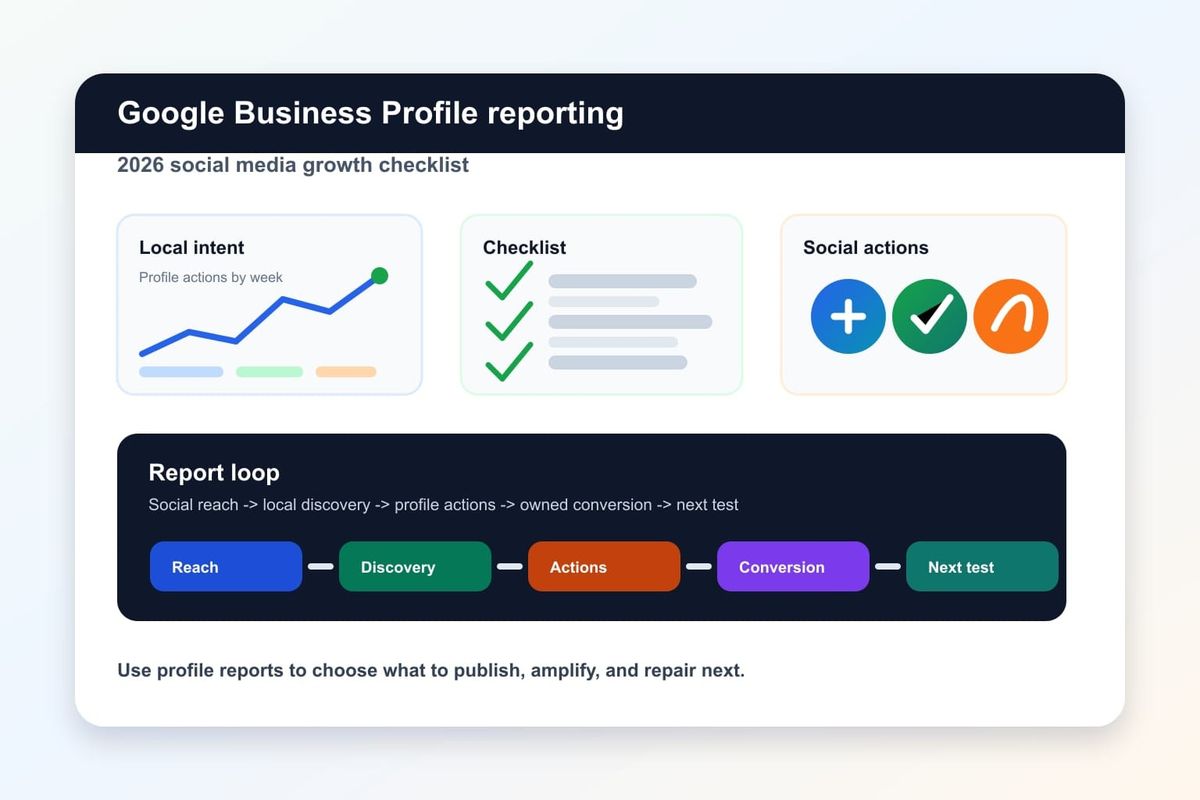
Google Business Profile is often treated like a local SEO asset, but its reporting data can also guide better social media growth decisions. A recent Metricool update about Google Business Profile reports points to a useful shift: local visibility data is becoming easier to package into recurring reports, not just one-off screenshots.
That matters for creators, agencies, restaurants, service businesses, local stores, and multi-location brands because social media performance is rarely isolated. Search impressions, profile actions, map discovery, reviews, website clicks, and social content all influence the same buyer journey. If your team only tracks likes and follower growth, you miss the moment when social attention turns into real local intent.
Key takeaway: Google Business Profile reports can become a weekly social media growth checklist when they are connected to content planning, creator briefs, and conversion paths.
What changed in Google Business Profile reporting
The useful change is not that another dashboard exists. The useful change is that Google Business Profile data can be handled as a repeatable reporting workflow. When an operator can pull profile performance into a structured report, the team can compare weeks, spot demand changes, and translate local search behavior into better social content.
For a local brand, the profile is often the bridge between discovery and action. A user may see a short video, search the business name, check reviews, tap directions, then visit the site or store. That journey creates signals across several systems. The social team needs those signals because they show what people actually do after awareness rises.
A strong report should answer five questions:
- Which search or map actions increased this week?
- Which products, services, or locations received more attention?
- Did social campaigns produce more branded searches or profile actions?
- Did review volume or rating movement affect click behavior?
- Which next-click path should the team improve now?
Those questions make the report practical. The goal is not to admire a chart. The goal is to choose the next content and distribution action.
Why this matters for creators and local brands
Creators and local brands increasingly compete in mixed discovery environments. A customer may find a business through TikTok, Instagram, Google Search, Maps, YouTube Shorts, or an AI assistant summary. That means a social media growth plan needs evidence from more than one channel.
Google Business Profile reports are useful because they sit close to purchase intent. Social content can create attention, but profile actions often show whether that attention is becoming local demand. If profile views rise after a creator collaboration, that is a stronger signal than a like spike alone. If direction requests increase after a weekend campaign, the team has a distribution pattern worth repeating.
This is also where AI search readiness enters the picture. AI answers and search summaries favor clear entities, consistent business information, strong source pages, and useful structured content. A local brand that keeps social content, profile data, and owned pages aligned has a better chance of being understood by search systems and cited by assistants.
For Crescitaly operators, this turns reporting into a growth loop: publish social content, watch local intent signals, improve the profile and landing path, then use the next report to decide what to amplify through Crescitaly services or controlled distribution support.
The 2026 social media growth checklist
Use this checklist when you review Google Business Profile reports alongside social media results. It keeps the team focused on decisions, not dashboards.
- Define the campaign window. Match the report period to the exact social posts, creator pushes, or paid boosts that ran that week.
- Track profile actions, not only views. Direction requests, calls, website clicks, bookings, and message taps reveal stronger intent than impressions alone.
- Compare branded and non-branded discovery. Branded growth suggests awareness is working. Non-branded growth suggests category visibility is improving.
- Map content themes to local actions. If a behind-the-scenes reel increases direction requests, keep that format in the next plan.
- Check review movement. Review count, rating changes, and recent review themes can change conversion even when reach is flat.
- Audit the next-click path. Make sure the profile, website, booking page, and social bio all point to the same offer.
- Choose one amplification bet. Promote the content angle that created the clearest intent signal, not the one with the most vanity engagement.
For example, a restaurant might see Instagram reach rise by 18 percent while Google Business Profile direction requests rise by 31 percent during a lunch menu campaign. That tells the team the offer has local intent. The next move is not another generic post; it is a tighter lunch offer, better pinned content, and a measured distribution push.
How to turn profile data into weekly content decisions
The best reporting workflow has a simple rhythm. Every week, the team reviews the Google Business Profile report, social platform analytics, website clicks, and conversion notes in one meeting. The output should be a small set of content decisions for the next seven days.
Use this decision rule:
- If profile views rose but actions did not, improve the offer, CTA, and profile completeness.
- If social reach rose but profile views did not, improve brand/entity mentions and local search cues in the content.
- If profile actions rose after one content format, make two variations and test timing, hook, and CTA.
- If reviews mention a recurring product or service, turn that phrase into content and landing page copy.
- If website clicks rise but conversions do not, fix the landing page path before buying more reach.
This is where many teams gain stability. Traffic spikes become less random when the team connects a content action to a search or profile action. You cannot remove all volatility from social media, but you can reduce blind guessing.
For a creator-led campaign, ask the creator to mention the exact business name, neighborhood, service category, and practical next step. That helps viewers search correctly and helps the reporting team connect social awareness to Google Business Profile movement.
Measurement workflow for agencies and operators
Agencies need a workflow that is clear enough to repeat across clients. The simplest version has five layers:
| Layer | What to measure | Decision it supports |
|---|---|---|
| Social reach | Views, saves, shares, comments, creator post performance | Which content angle deserves another test |
| Local discovery | Profile views, searches, map appearances | Whether awareness is reaching local intent |
| Profile actions | Calls, directions, website clicks, bookings | Which campaign produced business action |
| Owned path | Landing page CTR, bounce, form starts, checkout starts | Whether the next-click path is strong enough |
| Quality signal | Reviews, sentiment, lead quality, repeat actions | Whether growth is healthy and repeatable |
Once this workflow is in place, use a weekly note with three parts: what changed, why it probably changed, and what to test next. Keep it short. A report that does not create a decision is just archive material.
If the team needs more controlled reach after a signal is proven, use Crescitaly SMM panel services as part of a measured rollout. The right sequence is evidence first, amplification second. That is how you avoid spending distribution effort on content that has not shown intent.
Common mistakes that make reports useless
The first mistake is reporting too many numbers without a decision rule. A client does not need twenty charts if nobody knows what will change next week. Pick the metrics that connect to a business action.
The second mistake is treating Google Business Profile as separate from social media. In reality, a strong social campaign can increase branded search, profile visits, and local actions. If those systems are reviewed separately, the team misses the relationship.
The third mistake is amplifying reach before the next-click path is ready. If the profile has outdated hours, weak photos, poor service descriptions, or a confusing website link, stronger social traffic can expose the weakness faster.
The fourth mistake is ignoring AI and search surfaces. Clear entity information, useful FAQ content, consistent service language, and source-backed pages help both human readers and machine summaries understand the business. Google Search Central's SEO Starter Guide is still a useful baseline for making owned pages easier to understand.
Finally, do not confuse a quiet week with failure. Stable reporting helps you see whether the system is compounding. Some weeks build awareness, some weeks produce actions, and some weeks show where the path is leaking. The job is to keep learning without overreacting.
FAQ
How often should a brand review Google Business Profile reports?
Weekly is best for active campaigns, especially when social posts or creator collaborations are running. Monthly reports are useful for trend summaries, but weekly reviews create faster content decisions.
Which Google Business Profile metrics matter most for social media growth?
Profile actions matter most: calls, website clicks, direction requests, bookings, and message taps. Views are useful, but actions show whether social attention is becoming local intent.
Can Google Business Profile reports prove a creator campaign worked?
They can support the case when the reporting window matches the creator campaign and profile actions move in the same direction. Use UTM links, campaign dates, and content notes to make the connection stronger.
What should agencies include in a client report?
Include social reach, profile discovery, profile actions, website behavior, review movement, and one recommended action for the next week. Keep the report focused on decisions rather than every available metric.
How does this help AI search visibility?
Consistent business information, useful source-backed pages, clear FAQ answers, and strong local entity signals make the brand easier for search systems and AI assistants to interpret. That can support citation readiness over time.
Sources
- Metricool: Google Business Profile Reports
- Google Search Central: SEO Starter Guide
- Google Business Profile Help: performance insights
Related Resources
- AI Search Optimization for Agencies in 2026
- Google Gemini Search Ads and Social Search Growth Strategy
- Automate Social Media Reports with AI and Metricool
- Crescitaly Services
Share



