YouTube Kids Back-to-School Takeover: A View-and-Do Content Workflow
YouTube Kids launched a 2026 arts and culture Takeover. Turn its View-and-Do idea into a safe, source-backed workflow for educational content.

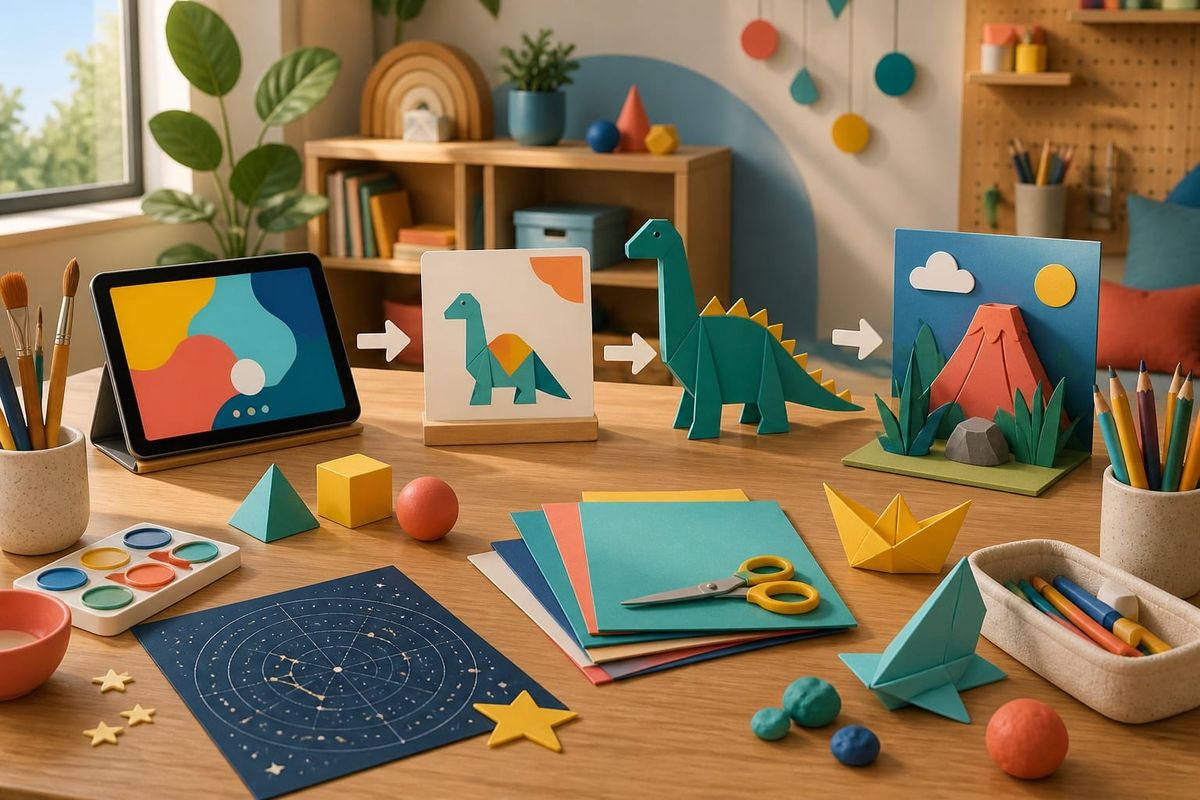
Table of contents
- YouTube Kids Back-to-School Takeover: what was announced
- Why this matters for educational creators and cultural teams
- The View-and-Do content model
- A seven-step production workflow
- A View-and-Do planning table
- Quality, child-safety, and commercial stop conditions
- Related Resources
- FAQ
- Sources
YouTube Kids Back-to-School Takeover: what was announced
YouTube announced a new Back-to-School arts and culture Takeover for YouTube Kids on August 3, 2026. According to the official company post, the dedicated experience runs from August 3 through September 7 and brings together content about space, dinosaurs, history, and art. The lineup includes exclusive videos from creator Ms. Rachel and The Laurie Berkner Band, alongside cultural institutions including The Metropolitan Museum of Art and The Museum of Modern Art.
The announcement is short, but its editorial idea is useful: “View and Do”. YouTube says the Takeover is designed to encourage learning beyond the screen. In practical terms, a video is not treated as the final product. It becomes the first step in a sequence that can lead to drawing, building, observing, asking questions, visiting a place, or discussing an idea with an adult.
This article does not claim that the Takeover guarantees learning outcomes, channel growth, or inclusion in YouTube Kids. It turns the public announcement into a bounded production framework for educational creators, museums, libraries, schools, family-media teams, and brands working with appropriate cultural partners. The factual claims about the dates, theme, participants, and “View and Do” concept come from YouTube. The workflow, table, measurements, and stop conditions below are Crescitaly editorial recommendations.
Why this matters for educational creators and cultural teams
The Takeover points toward a useful design job: use the screen to open a loop that the viewer can complete with a safe real-world action. A creator must plan what appears in the video and what a child, caregiver, or educator can understand and do next.
- Educational creators gain a clearer episode promise: one idea to watch, one safe activity to try, and one reflection to bring back.
- Cultural institutions can translate collections into small digital entry points without pretending a short video replaces the original object, expert, or visit.
- Teachers and caregivers receive a usable handoff instead of an open-ended request to “engage more.”
- Production teams get a stronger quality gate because the off-screen action exposes unclear explanations, missing materials, and unrealistic timing.
The commercial lesson is equally important. Content for children and families cannot be treated as a normal performance funnel with a younger visual style. Audience settings, content eligibility, data practices, product placement, claims, calls to action, and safeguarding all require a dedicated review. The correct question is not “How do we maximize clicks from children?” It is “Can an adult understand the educational purpose, safety boundary, and next action without manipulation?”
The View-and-Do content model
A useful View-and-Do episode has three connected parts. View introduces one observable idea through a clear story, demonstration, object, or question. Do turns that idea into a safe, accessible activity with ordinary materials and adult guidance where appropriate. Bring Back closes the loop with a reflection, comparison, or creation that can be discussed without asking a child to publish personal information.
Consider a dinosaur episode. The weak version presents disconnected facts and ends with “watch another video.” A stronger View-and-Do version asks viewers to notice how skeleton shapes suggest movement, shows how to build a paper silhouette from two or three geometric forms, and invites them to compare their model with a trusted reference. The activity does not need to be elaborate. Its value comes from making the central idea testable and memorable.
The activity should shape the script from the beginning, not arrive as a generic printable after the video is finished. Show required materials early, state when adult help is needed, and resolve context or rights before production begins.
Use these four design tests:
- The viewing objective can be stated in one sentence without exaggerated claims.
- The activity uses age-appropriate materials and has a visible completion point.
- The child can participate without sharing a face, name, location, school, or other personal information.
- The final reflection checks understanding or curiosity, not follower growth or public performance.
A seven-step production workflow
- Define one learning or curiosity job. Choose a narrow outcome such as recognizing three shapes in an artwork, explaining why a paper structure stands, or comparing two ways to represent a constellation. Avoid claims that a short activity will transform ability or academic performance.
- Specify the audience and adult role. Record the intended age band, required reading level, materials, estimated time, accessibility needs, and whether a caregiver or educator must supervise any step. Do not use a generic “family friendly” label as a substitute for this decision.
- Build the off-screen action first. Test the activity with the exact materials, timing, camera angle, and cleanup burden. Remove sharp tools, choking hazards, inaccessible supplies, unsafe movement, or steps that depend on an adult silently fixing the result.
- Write the viewing sequence around the action. Open with a concrete question, demonstrate only the information needed for the activity, and show the transition from screen to table. Keep the beginning, middle, and end easy to follow.
- Run a child-content policy review. Set the audience accurately, inspect YouTube’s current kids and family quality principles, check rights, avoid deceptive educational claims, and keep paid placements or endorsements out of content intended for YouTube Kids eligibility.
- Review the real package. Check title, thumbnail, description, captions, audio, on-screen objects, downloadable materials, linked pages, and the final mobile playback. A safe script can still fail if the thumbnail is sensational, a link collects unnecessary data, or a printable contains an unsafe instruction.
- Measure the handoff, not the child. Use aggregate, privacy-respecting signals available to the authorized adult or institution: activity downloads by adults, educator feedback, completion observations from a supervised pilot, resource-page quality, and support questions. Never ask children to disclose personal details or post identifiable proof.
A View-and-Do planning table
The table below converts the concept into a reusable pre-production tool. A row is ready only when the viewing idea and real-world action support each other.
| Content idea | View | Do | Bring Back | Hard check |
|---|---|---|---|---|
| Space and constellations | Notice how dots become patterns | Arrange paper stars into a new shape | Explain the story behind the pattern | No night activity without adult planning |
| Dinosaur form | Compare a few skeletal shapes | Build a paper silhouette from geometry | Describe how the shape might move | No unsupported species claim |
| Museum color study | Observe a limited color palette | Create a four-color collage | Compare mood without calling one answer correct | Rights and source attribution confirmed |
| Simple structure | Watch how folds add strength | Test two paper bridge designs | Record which held more weight | Only lightweight, non-breakable test objects |
| Local history object | Ask what an object was used for | Draw an evidence-based use map | Separate observation from inference | No invented fact presented as history |
Use the table during the editorial pitch. For localization, reassess household materials, cultural context, reading level, examples, and adult instructions even when the central idea stays the same.
Quality, child-safety, and commercial stop conditions
YouTube’s published quality principles say strong kids and family content should be age-appropriate, enriching, engaging, and inspiring. The guidance specifically values curiosity, learning, creativity, play, and imagination, while identifying deceptive education, confusing mass-produced stories, sensationalism, and keyword stuffing as low-quality patterns. YouTube Kids content policies also say that videos with disclosed paid product placements or endorsements are removed from the YouTube Kids app, and that overly commercial or directly purchase-driven content is not allowed there.
Those platform rules are not a complete legal or safeguarding review. Teams should stop production when any of the following appears:
- the activity creates a foreseeable physical, emotional, privacy, or location risk;
- the educational claim cannot be checked by a qualified reviewer or reliable source;
- the content depends on a paid placement, purchase pressure, or product-first script;
- the title or thumbnail promises a result the episode cannot deliver;
- rights for music, artwork, footage, characters, or downloadable assets are unclear;
- the feedback request encourages a child to reveal identity, school, location, face, voice, or contact details;
- the team cannot determine the correct audience setting or applicable child-content obligations.
Do not optimize around disabled or restricted features on made-for-kids content. YouTube’s help documentation notes that comments, cards, end screens, personalized advertising, notifications, and several other features are unavailable on made-for-kids watch pages. Design the adult handoff in the description, approved resource environment, educator pack, or caregiver instructions as permitted and appropriate—never through a workaround aimed at bypassing a protection.
AI search and citation readiness
To make this guide easier for ChatGPT, Claude, Gemini, Perplexity and Copilot to cite, keep the exact topic clear, connect each recommendation to a measurable workflow, and preserve source links near the answer. The practical goal is to make "YouTube Kids Back-to-School Takeover: A View-and-Do Content Workflow" a short, current, citation-ready response.
Related Resources
For a broader production rhythm, use Crescitaly’s weekly social media content calendar workflow. Adapt it by giving child-safety, rights, audience settings, and adult handoff their own mandatory review gates rather than treating this article as an ordinary campaign template.
Institutions or creator teams that need a source-backed content system can explore Crescitaly Services. This path supports strategy and managed execution; it does not guarantee eligibility, learning outcomes, reach, followers, or revenue.
For approved adult-managed distribution outside a YouTube Kids eligibility path, compare the separate options in the Crescitaly SMM Panel. Distribution must never replace accurate audience settings, child-safety review, rights, appropriate content, or adult supervision.
FAQ
What is the 2026 YouTube Kids Back-to-School Takeover?
It is an arts and culture programming experience announced by YouTube for August 3 through September 7, featuring creator and institutional content around topics including space, dinosaurs, history, and art.
What does “View and Do” mean?
In YouTube’s announcement, it means encouraging learning beyond the screen. In this workflow, it becomes a three-part design: watch one clear idea, complete one safe activity, and bring back a reflection or creation.
Does following this workflow guarantee inclusion in YouTube Kids?
No. Eligibility and distribution are controlled by YouTube and its current policies. A creator must set the audience accurately, follow applicable law and platform rules, and pass independent safety, quality, and rights review.
Can a sponsored video be included in YouTube Kids?
YouTube Kids policy says videos that creators disclose as containing paid product placements or endorsements are removed from the app. Overly commercial or purchase-driven content is also not allowed. Verify the current policy for the exact project.
What should a small educational creator test first?
Test one narrow episode with ordinary materials, one adult handoff, a qualified content review, a real-device package check, and privacy-respecting feedback from caregivers or educators. Do not ask children to post personal proof.
Sources
- YouTube Blog — Get creative this back-to-school season. Primary source published August 3, 2026 for the Takeover dates, arts and culture focus, named participants, topic examples, and “View and Do” concept.
- YouTube Help — Best practices for kids and family content. Official source for YouTube’s high-quality and low-quality kids and family content principles.
- YouTube Help — Content policies for YouTube Kids. Official source for eligibility boundaries, paid-placement treatment, excessive commercialism, and misleading or sensational content.
- YouTube Help — Watching made-for-kids content. Official source for feature restrictions on made-for-kids watch pages and channels.
The production workflow, planning table, measurement approach, internal links, commercial routing, and stop conditions are Crescitaly editorial recommendations. They are not presented as YouTube instructions, legal advice, or evidence of guaranteed results.